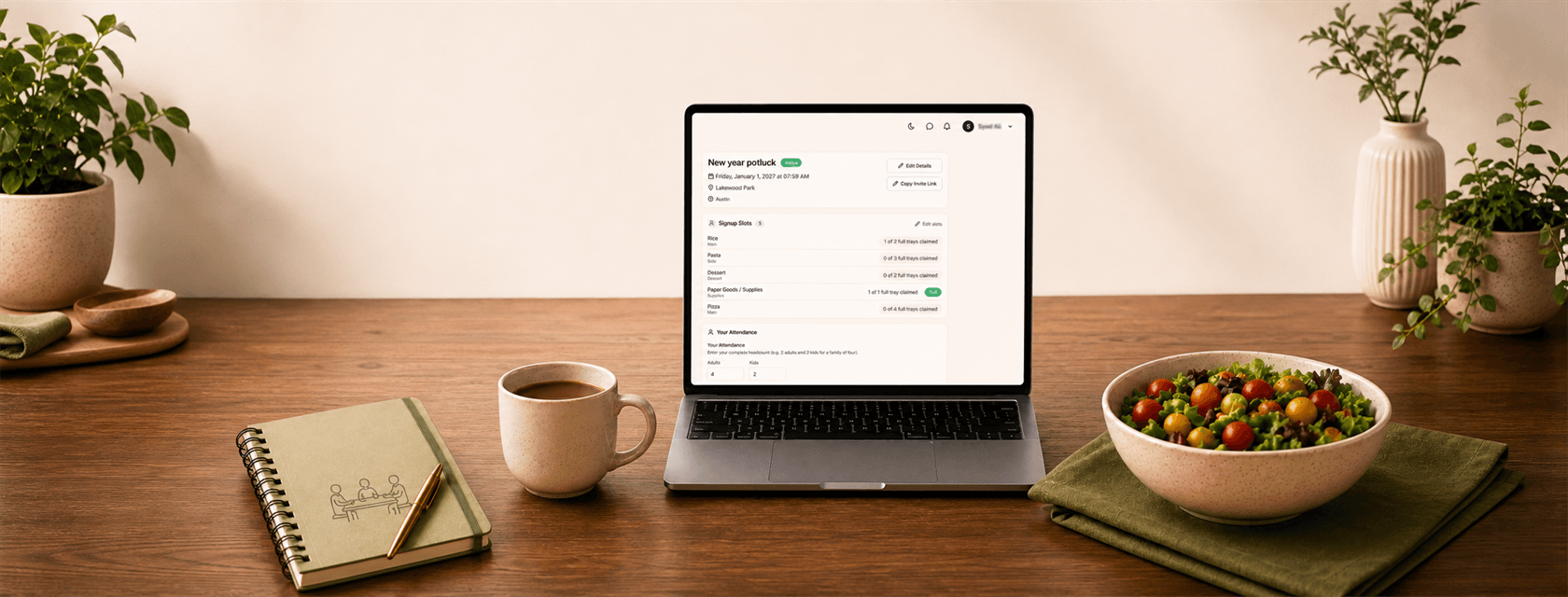
Potlucks are a wonderful way to bring people together. But organizing one can quickly turn into a long stream of messages:
Who is coming? Who is bringing the main dish? Do we have enough drinks? Did three people just volunteer to bring the same dessert?
Kichmate brings the details of your potluck together in one place—from planning what you need and inviting guests to tracking RSVPs, contributions, and shopping lists.
Instead of coordinating everything through scattered messages, you can create one organized event that everyone can follow.
1. Start With the Details of Your Gathering
Every potluck starts with the basics.
With Kichmate’s guided potluck setup, you can add your:
- Event name
- Date and time
- Location
- Event description
- Food and contribution needs
- RSVP preferences
The setup walks you through each step, so you can build your event gradually rather than trying to organize everything at once.
You can preview the potluck before publishing it or save it as a draft and return to it later.
2. Decide Exactly What You Need—or Keep It Flexible
Not every potluck works the same way.
Sometimes you know exactly what guests should bring. Other times, you simply want to make sure there is a good balance of food.
Kichmate supports both.
Ask for specific items
You might request:
- 2 trays of lasagna
- 3 bottles of soda
- 2 dozen cupcakes
- 1 fruit platter
You can specify quantities and units such as trays, bottles, dozens, or pieces—and even create your own units when needed.
Let guests choose a category
For a more flexible gathering, create categories such as:
- Main Dish
- Side
- Dessert
- Drinks
- Appetizers
- Supplies
Guests can then choose a category and tell everyone exactly what they plan to bring.
This gives you control when you need it and flexibility when you don’t.
3. Share One Invitation Instead of Managing a Long Group Chat
Once your potluck is ready, Kichmate creates a shareable digital invitation.
Send the invitation through text, WhatsApp, email, or another sharing app.
Guests can open the invitation to see the event information, available contributions, and who is attending.
And importantly, guests don’t need to create a Kichmate account just to RSVP.
They can enter their information, choose what they will bring, and confirm their attendance directly from the shared invitation.
If you want additional verification, you can also require a one-time email code before an RSVP is accepted.
4. Know Who’s Bringing What
One of the hardest parts of organizing a potluck is keeping track of contributions.
Kichmate keeps a shared view of what people have selected and how much is still needed.
If you requested three of something and two have already been claimed, guests can see the remaining availability.
This helps prevent over-signups and makes it much less likely that everyone arrives carrying dessert while nobody remembered the drinks.
Guests can also see who is attending and what others are bringing, making the whole event easier to coordinate.
5. Keep Track of Adults, Children, and Dietary Notes
Knowing the total number of guests matters when you’re planning food, seating, serving supplies, and portions.
Kichmate allows each RSVP to include separate counts for adults and children.
The host dashboard automatically brings those numbers together so you can see:
- Adults attending
- Children attending
- Total attendance
Guests can also leave notes for the host, including dietary restrictions, questions, or other useful information.
That means fewer details are buried somewhere in a message thread.
6. Manage Everything From One Host Dashboard
Plans change—and your potluck should be easy to update when they do.
From the host dashboard, you can see attendance, guest details, notes, and assigned contributions in one place.
If someone tells you in person or over the phone that they are coming, you can add them manually. You can also update guest details, adjust headcounts or contributions, and remove guests when necessary.
The host can even RSVP to their own event and record what they plan to bring.
Guests aren’t locked into their original choices either. Returning guests can find their RSVP using their email and update their selections, change quantities, or withdraw.
If someone withdraws, their contribution becomes available for another guest to claim.
7. Send Updates Without Starting Another Conversation
Sometimes everyone needs the same update:
Dinner will start 30 minutes later.
Please park on the other side of the building.
Don’t forget serving utensils.
When messaging is enabled, hosts can send announcements to confirmed guests through Kichmate.
Announcements stay with the event and can also be distributed through email and in-app notifications.
Guests can receive RSVP confirmation emails showing what they agreed to bring, while hosts can choose to receive notifications when new guests RSVP.
8. Turn Potluck Contributions Into Shopping Lists
This is where the potluck feature connects naturally with Kichmate’s shopping tools.
After choosing what they will bring, guests can generate a personal shopping list based on their potluck contribution.
Hosts can also create a dedicated potluck shopping list based on their own contributions and the event headcount.
And because the potluck list stays separate from regular weekly groceries, preparing for an event doesn’t have to clutter your everyday shopping list.
So the workflow can move naturally from:
Plan → Invite → RSVP → Choose contributions → Shop → Gather
A Little Extra Help Before You Publish
When AI-assisted checks are enabled, Kichmate can review your contribution setup before you save it.
It can help identify choices that may be missing, duplicated, or confusing—giving you another opportunity to clean up the signup before sending it to guests.
Once the event is over, it doesn’t disappear into an old message thread either. Your My Potlucks area keeps events organized and lets you view upcoming and past gatherings.
Spend Less Time Coordinating and More Time Together
A potluck should feel like a shared gathering—not an administrative project.
By keeping event details, RSVPs, guest counts, food contributions, announcements, and shopping lists together, Kichmate makes it easier for everyone to know where to go, who’s coming, and what to bring.
The host gets a clearer picture of the entire event, while guests get a simple way to participate without navigating endless messages.
Ready to organize your next potluck?
Create your event, invite your guests, and let everyone coordinate what they’re bringing in one shared place.
Start planning your potluck with Kichmate.